Fast. Powerful. Modern. File Management for Windows.
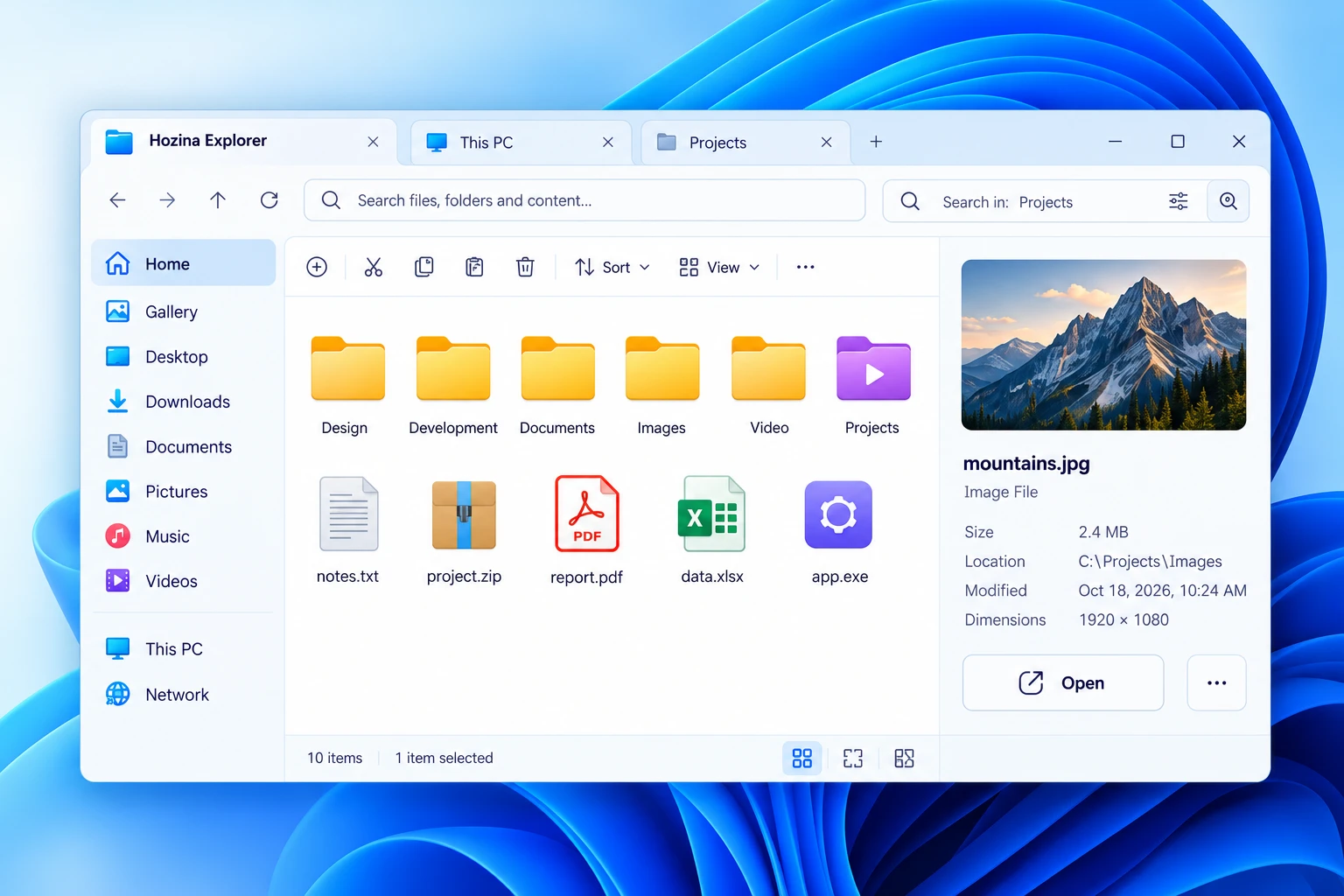
Hozina Explorer brings a modern approach to file management for Windows, with a clean, intuitive interface designed to help you organize, search and manage your files more efficiently.
Hozina Explorer is a native, high-performance Windows file manager engineered to eliminate everyday folder friction. Built from the ground up for modern desktop workflows, it brings tabbed folder navigation, side-by-side dual-pane browsing, instant spacebar file previews, and deep offline privacy to Windows 11 and Windows 10.
Fluid Desktop Navigation
Multi-tab browsing (Ctrl+T), split dual-pane view (F3), directory bookmarks, and instant Spacebar file inspection keep your workflow focused and organized.
Native Lightweight Architecture
Pre-compiled 64-bit native Windows code with sub-0.5s cold startup, zero webview bloat, virtualized list rendering, and minimal memory footprint.
100% Offline Privacy
Operates purely on your local hardware. Zero telemetry, zero cloud dependencies, safe Recycle Bin deletion, and standard user-level permissions.
Application TypeNative 64-bit Desktop Utility
License ModelFree Community Preview
Network Requirement100% Offline (No Internet)
User PermissionsStandard User (No Admin Needed)
Engineered for Everyday File Speed
Instant folder traversal, seamless multi-tab multitasking, and responsive navigation across tens of thousands of files without freezing.
Operating System
Windows 11 & Windows 10 (64-bit)
Compatible across 64-bit Windows desktop editions:
Minimum Windows 10 (64-bit, v1809 Build 17763+)
Recommended Windows 11 (64-bit, all updates) / Server 2022+
Processor (CPU)
64-bit x86_64 Architecture
Multi-core work-stealing parallelism for fast directory listing:
Minimum 1.0 GHz Dual-Core 64-bit processor
Recommended Quad-Core Intel Core i3/i5/i7 or AMD Ryzen
System Memory (RAM)
Ultra-Lean Memory Footprint
Maintains a strictly bounded working set during active folder navigation:
Minimum 512 MB available system RAM
Recommended 2 GB+ system RAM (~50 MB active app usage)
Disk Storage Space
Compact Native Installation
Zero runtime clutter and clean uninstallation footprint:
Minimum ~20 MB free storage for application binary
Recommended 100 MB free SSD space for thumbnail cache
Display & Scaling
High-DPI & Multi-Monitor Ready
Adapts seamlessly to modern high-resolution displays:
Minimum 1024 × 768 pixels display resolution
Recommended 1920 × 1080 (FHD) / 4K with 100%–250% DPI
Runtime & Permissions
Standard User Privileges
Runs cleanly in user space without administrator elevation:
Runtime Microsoft Edge WebView2 (Pre-installed in Windows)
Privilege Standard user account (No UAC prompt needed)
Engineered for Instant Native Speed
Built directly on native Win32 APIs with asynchronous directory traversal, sub-second cold startup, and zero background resource consumption.
Cold & Warm Startup Latency
< 0.5s Launch Time
Opens instantaneously from the taskbar, desktop shortcut, or keyboard summon. Zero splash screen delays, zero web-view overhead, and immediate folder readiness.
Native pre-compiled x64 machine code
Folder tree and items render in under 420ms
Ultra-Lean Memory Management
~45–60 MB Idle Footprint
Uses up to 80% less memory than web-based or electron file managers. Leaves your system RAM completely free for development tools, games, and creative apps.
Strictly bounded working set that prevents memory leaks
Virtualized list view rendering keeps memory stable
Zero Idle CPU & Battery Preservation
0.0% Background CPU Utilization
When minimized or unfocused, the process enters an idle state using zero CPU cycles. Extended laptop battery life with zero silent background polling or telemetry.
Event-driven Windows filesystem watchers (ReadDirectoryChangesW)
No background daemons or auto-updaters consuming battery
High-Throughput File Traversal
50,000+ Files Scanned / Sec
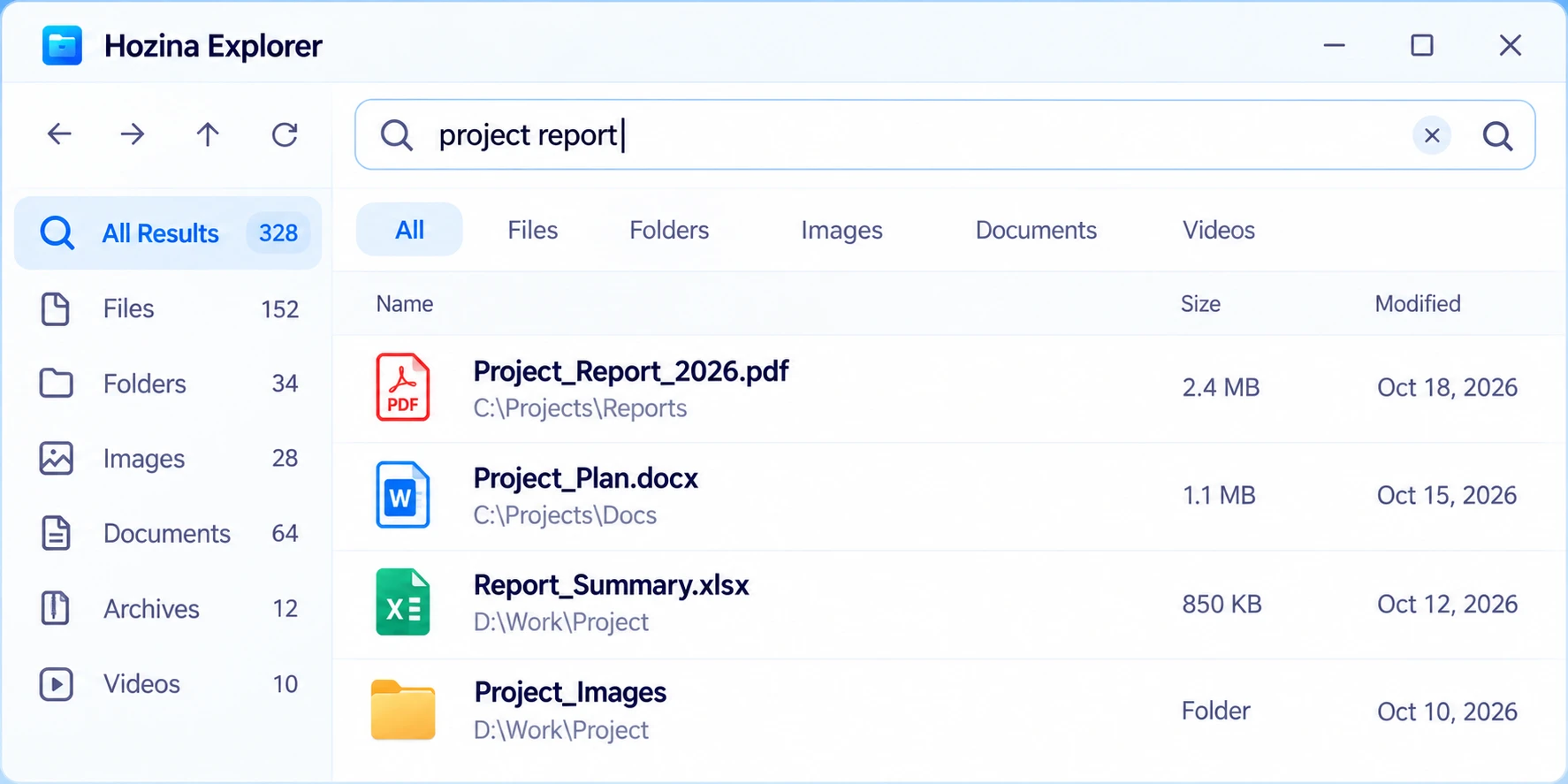
Direct asynchronous Win32 filesystem integration allows seamless scrolling, searching, and sorting across folders with tens of thousands of files without freezing or stuttering.

 HOZINA EXPLORER