Capture Everything
Keep useful text, images, files, code and links together in your clipboard workflow.


Save what you copy and keep useful content within reach through a floating dock. A smarter clipboard direction, designed for people who do more.
Clipboard History
Smart Search
Privacy Focus
Designed for Windows | Lightweight concept | Local workflow preview
Compatible with Windows 11 & Windows 10 (64-bit) • 100% Local & Encrypted • Under 50 MB RAM
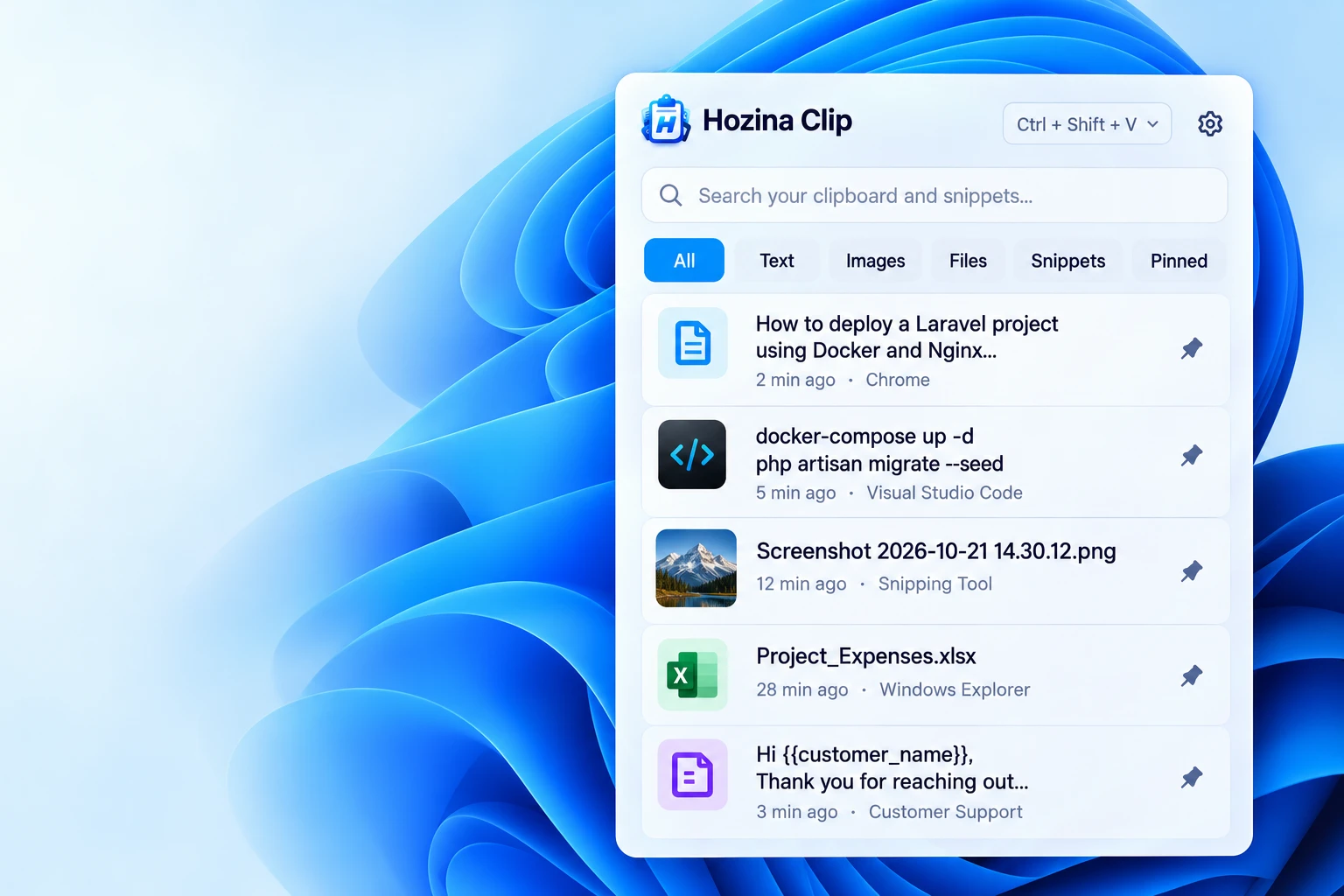
Keep useful text, images, files, code and links together in your clipboard workflow.
Bring a floating dock into your workflow and find the content you need.
A privacy-focused direction, with capture and storage controls to be documented.
Powerful floating dock
Hozina Clip is designed to bring clipboard history into a clean floating dock, with a searchable view that fits naturally into your everyday Windows workflow.
Planned dock shortcut
Multi-format support
A preview of the content types and controls being explored for your clipboard workflow.
Final support will be listed with the release.
Plain text, rich text, code blocks, emoji and more.
Keep copied images with useful thumbnail previews.
Keep references to copied files and directories.
A workflow for formatted content and plain text.
Review which content should be saved in your history.
Your data, your control
Privacy is central to the intended design. Storage, capture controls and safeguards will be documented with the public release so you can make an informed choice about your clipboard data.
Clipboard data is stored locally with Windows DPAPI encryption. Password managers (1Password, Bitwarden, KeePass) are automatically excluded.

Why choose Hozina Clip
A focused design intended to fit naturally into your daily workflow.
Find useful content across your clipboard history.
A keyboard-driven direction for a more productive workflow.
Planned controls to adapt capture and organization to your workflow.
Product Details & Specifications
Hozina Pro Clipboard & Snippet Dock is an intelligent, privacy-first Windows desktop utility that turns your clipboard into an always-accessible productivity asset. Seamlessly capturing text, rich HTML, code snippets, and images with military-grade local DPAPI encryption, it combines instant hotkey summoning (Ctrl+Shift+V) with permanent snippet pinning and automatic password manager exclusions.
Screen-edge floating dock summoned instantly with Ctrl+Shift+V. Pin frequent email templates, code boilerplate, and links with rapid 1-9 numeric shortcuts.
100% offline DPAPI encryption tied to your user account. Automatically detects and ignores sensitive credentials from 1Password, Bitwarden, and KeePass.
Event-driven Win32 clipboard hooks sleep completely between copy actions, consuming 0.0% CPU when idle and preserving laptop battery life.
Fully optimized for 64-bit Windows desktop and laptop systems:
Sits completely dormant until a clipboard copy event occurs:
Won't compete with memory-heavy developer IDEs, editors, or games:
Stores the compact native desktop app and encrypted local history database:
Floating edge dock can snap to any screen edge or display seamlessly:
Runs entirely within standard user rights without administrator elevation:
Global hotkey (Ctrl+Shift+V or custom) displays the dock instantly right beneath your cursor or pinned to the screen edge.
Uses native Windows clipboard notifications rather than polling loops. Sleeps completely between user copies for maximum battery savings.
Search through thousands of historical clips, code snippets, and formatted text instantly as you type.
Keep your most frequently used email responses, code boilerplate, links, and addresses pinned at the top forever.
Full compatibility across modern 64-bit Windows workstations and laptops:
Built-in privacy safeguards prevent accidental storage of passwords:
Captures and handles multi-modal clipboard content with fidelity:
Your clipboard history belongs exclusively to you:
Get started
A smarter clipboard direction for Windows. Coming soon.
Coming SoonWindows compatibility, installation details and availability will be confirmed with the release.